Phoenix Apps
Where your people meet the platform.
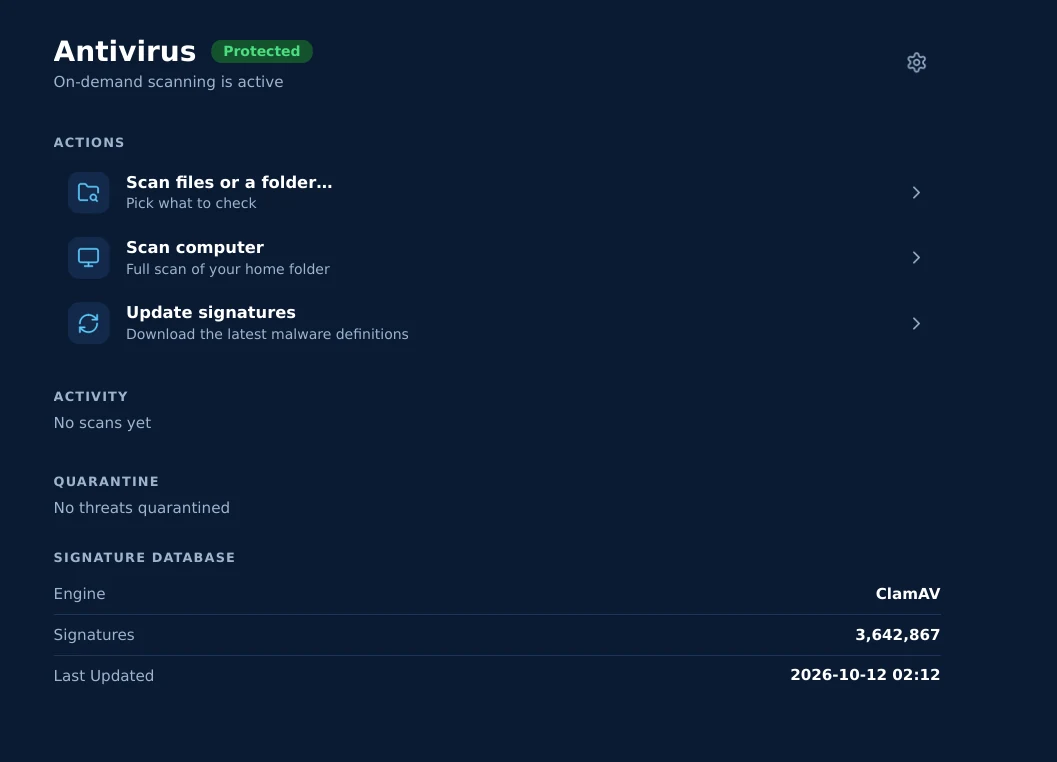
The desktop and mobile apps are the human-facing edge of Phoenix — an AI EDR endpoint agent for Windows, macOS and Linux, and an iOS companion with a built-in VPN and secure AI chat. They produce the telemetry Nest analyzes, bring each user the alerts and the fix list for their own machines, and speak to the same sovereign platform (Core) — every link encrypted end to end.
AI EndPoint Detection & Response your people actually see. One app that carries the Phoenix endpoint sensor, an on-device AI analyst, managed antivirus, a secure VPN and a view of every device you use — and feeds everything it learns back to the platform.

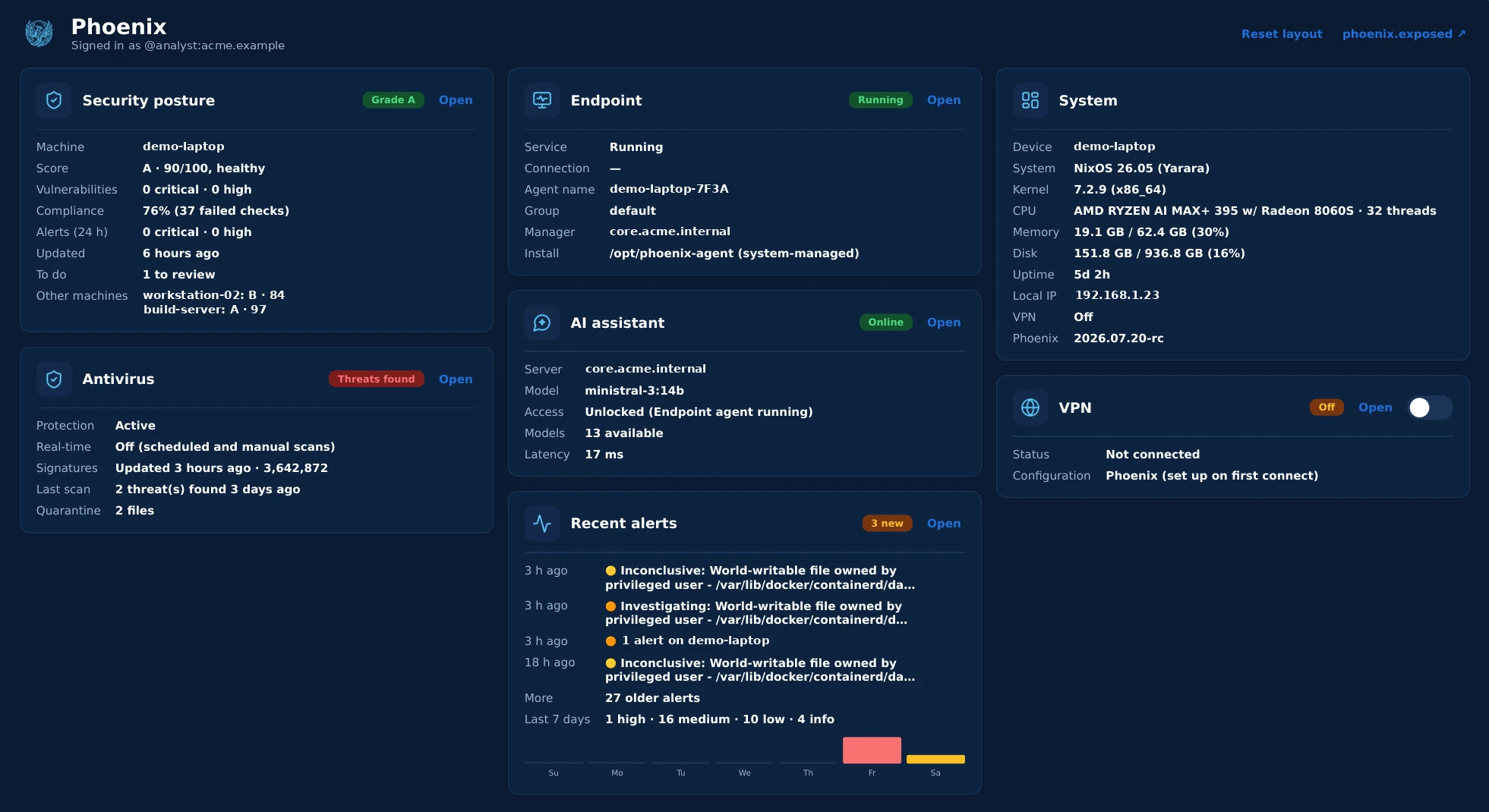
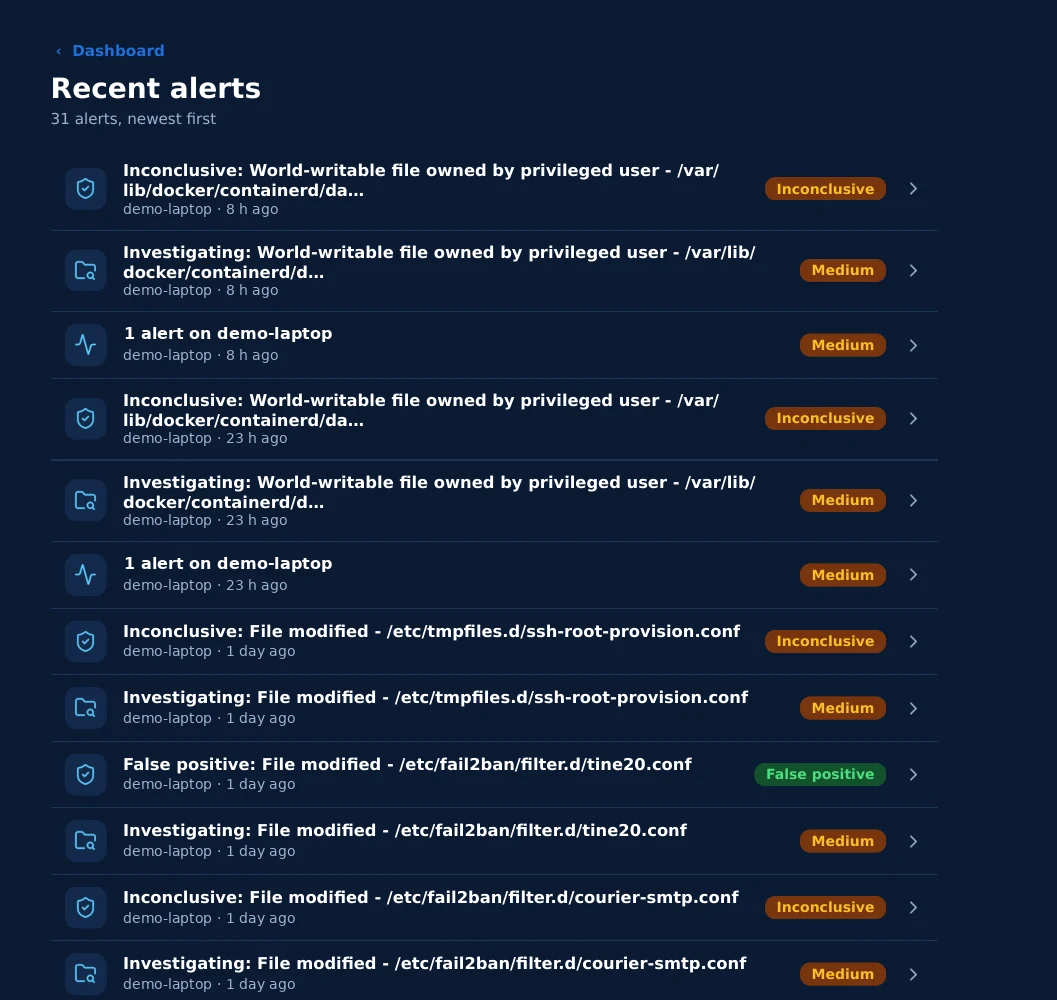
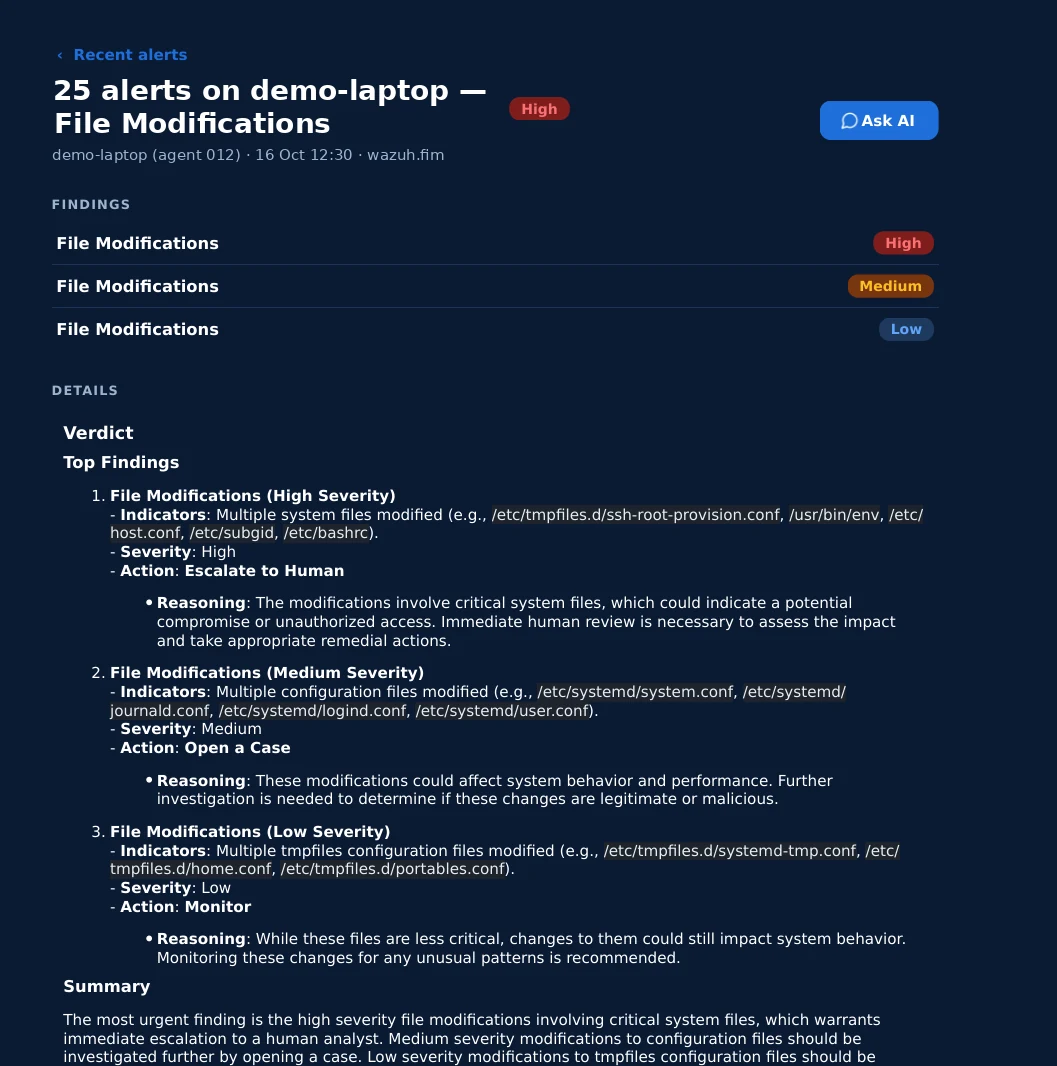
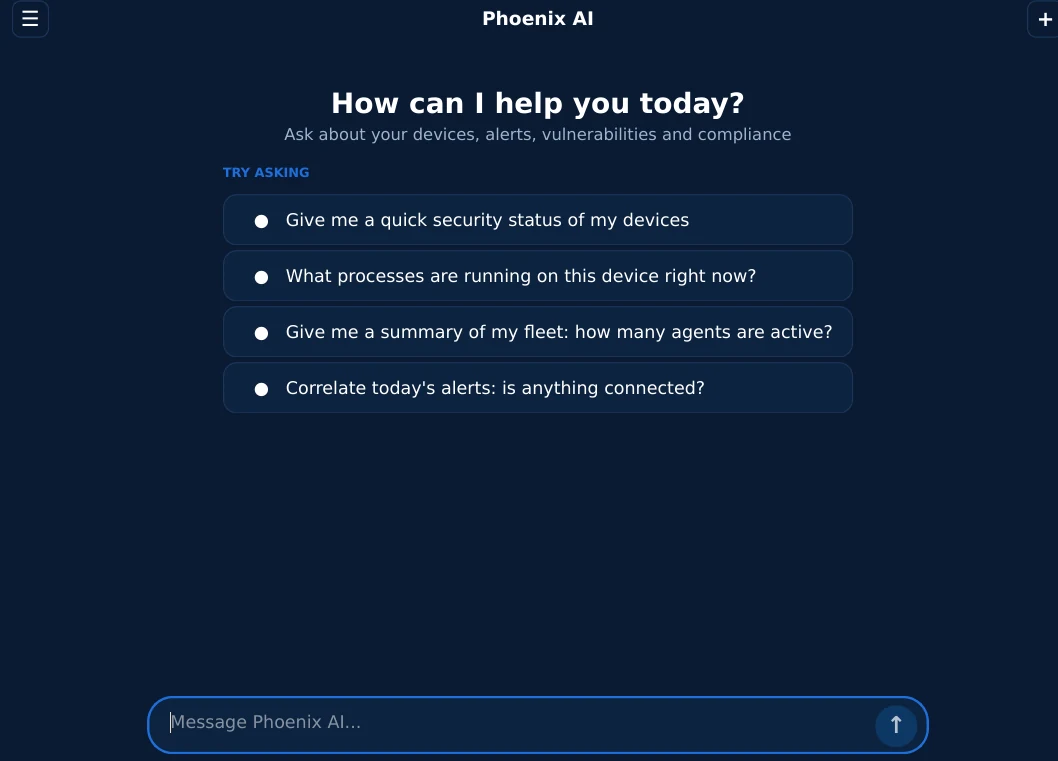
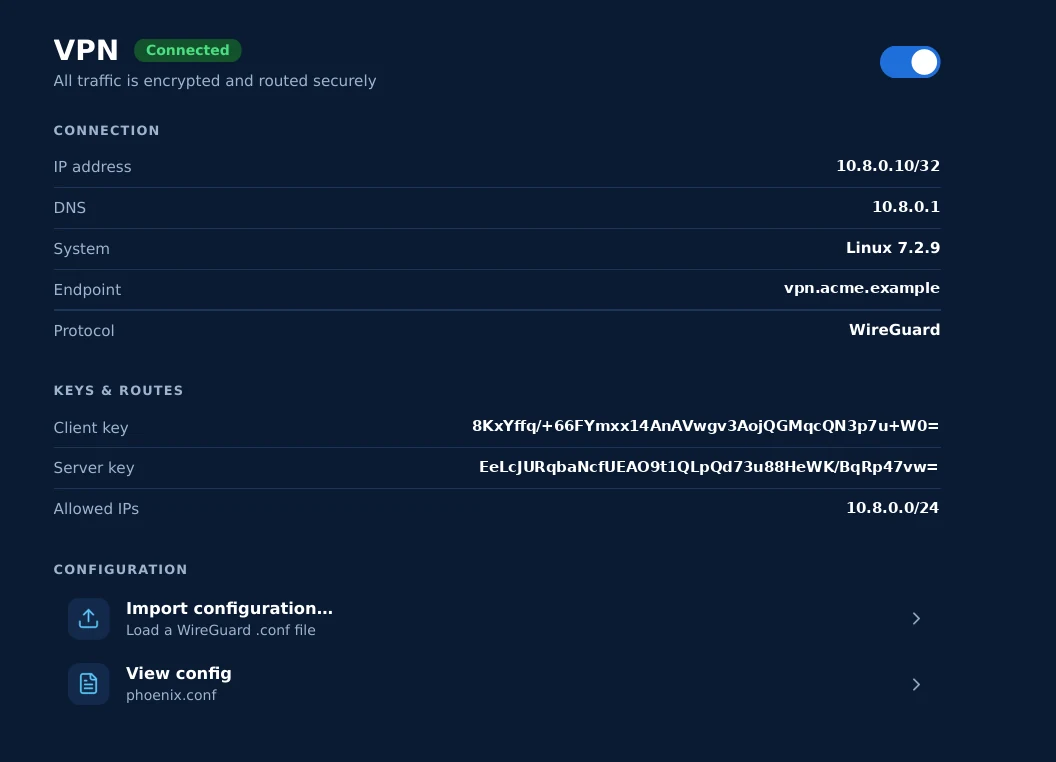
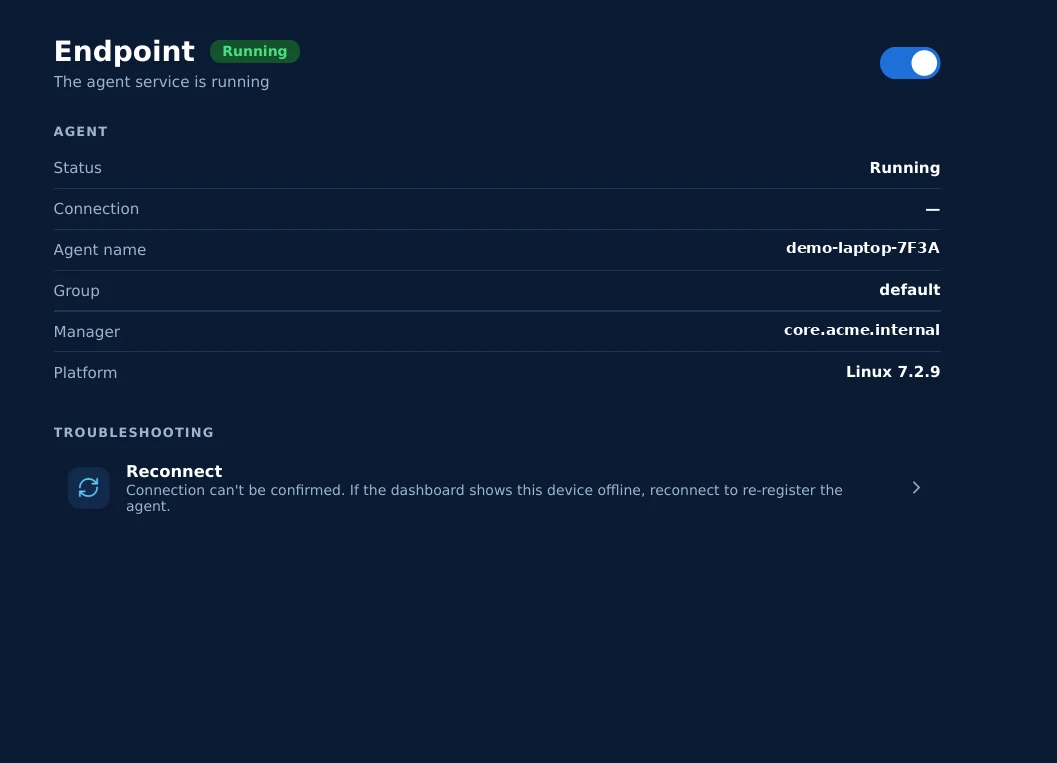
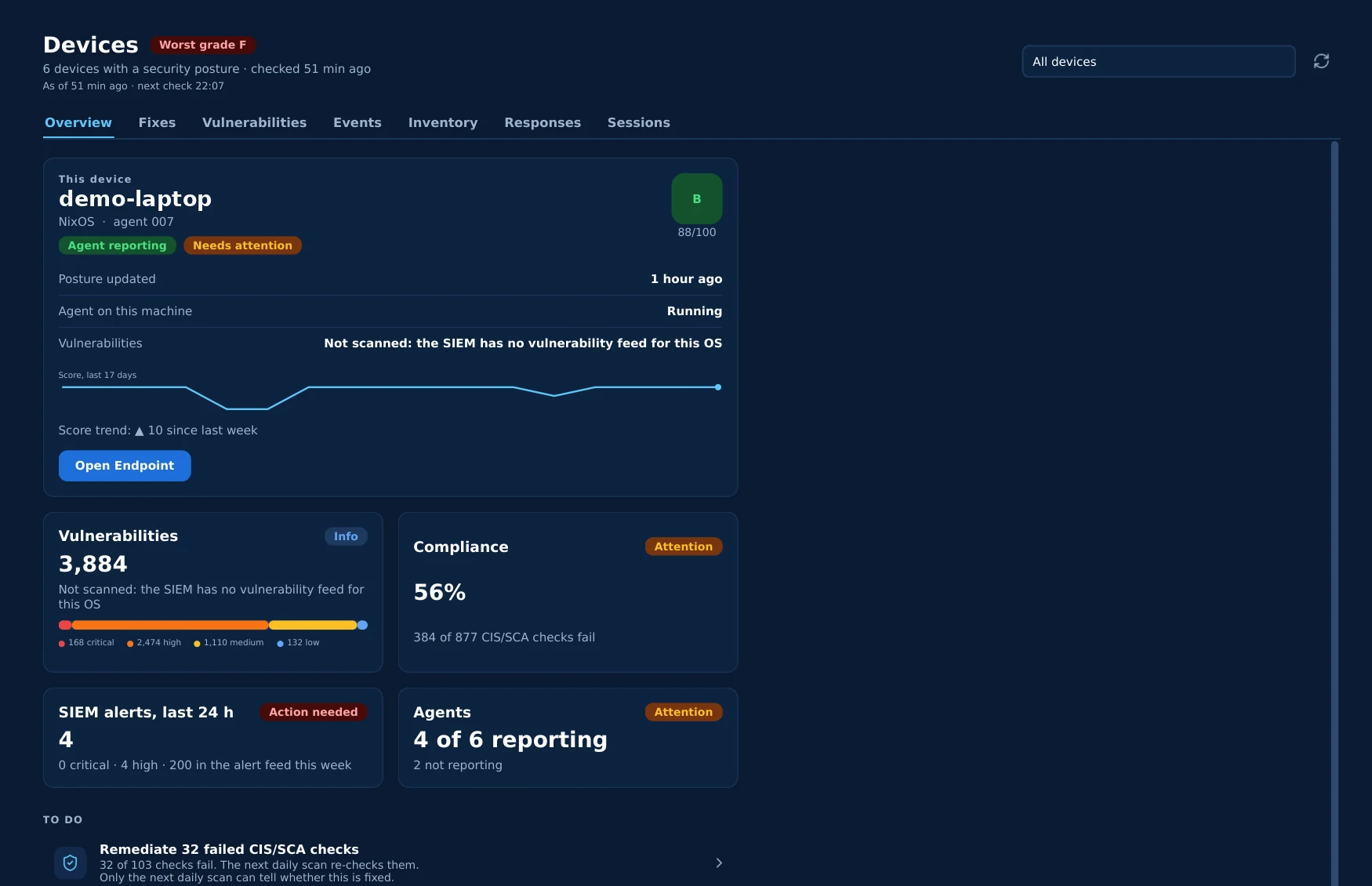
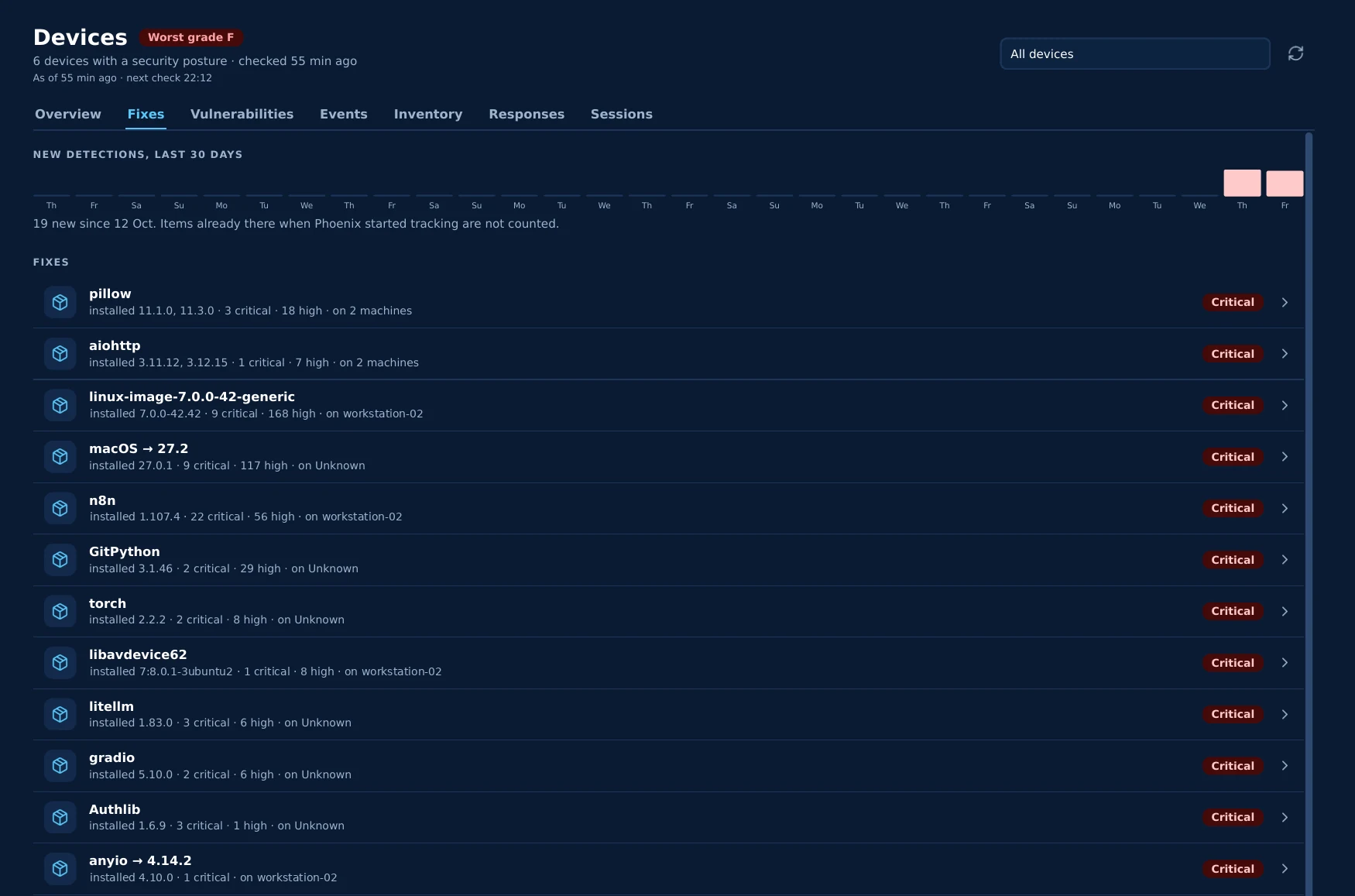
Dashboard
The device's security posture at a glance: posture grade with its score trend, 7-day alert activity, live checks of recommended fixes on this machine, antivirus and VPN. Tiles can be resized and rearranged.
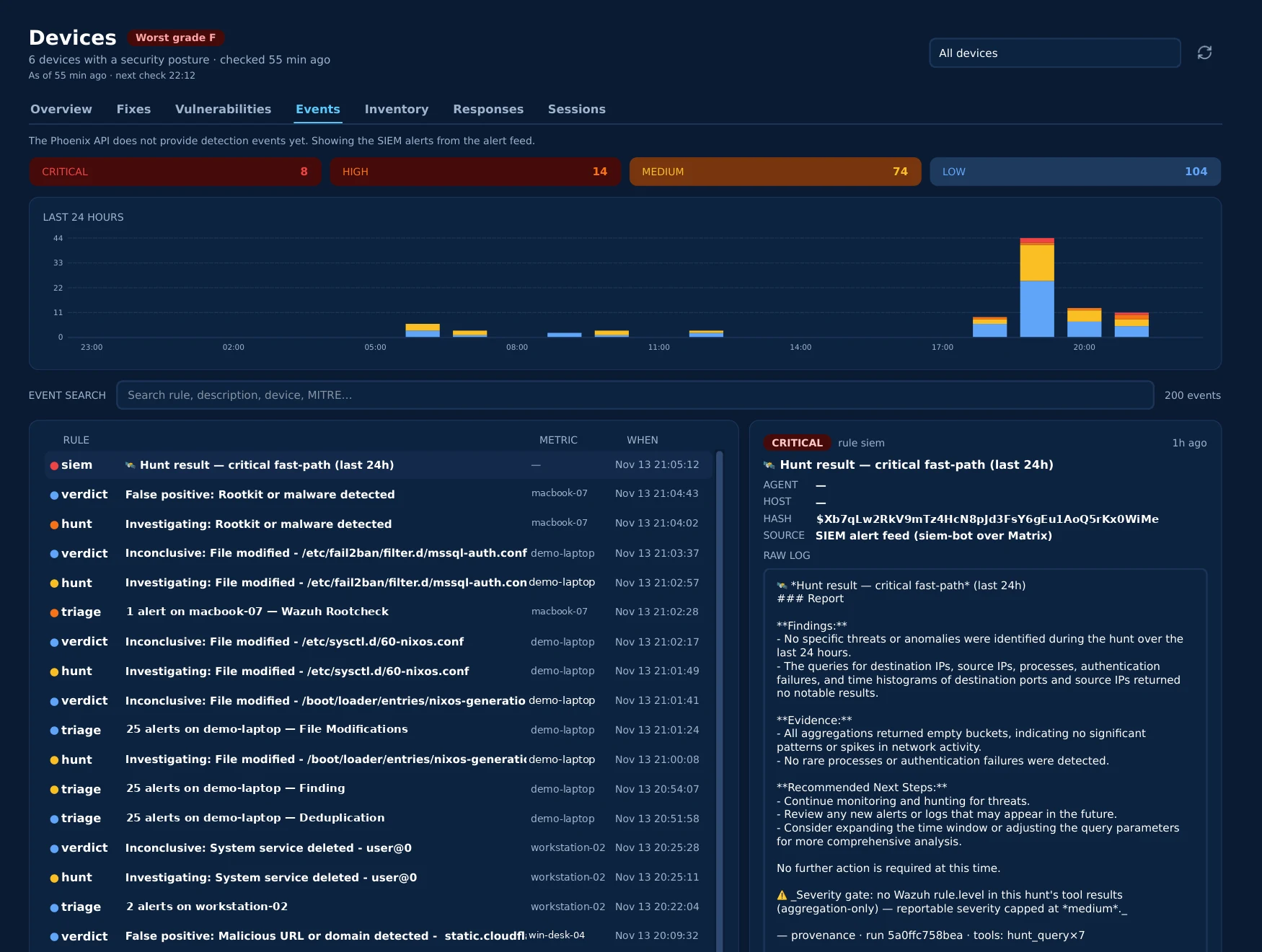
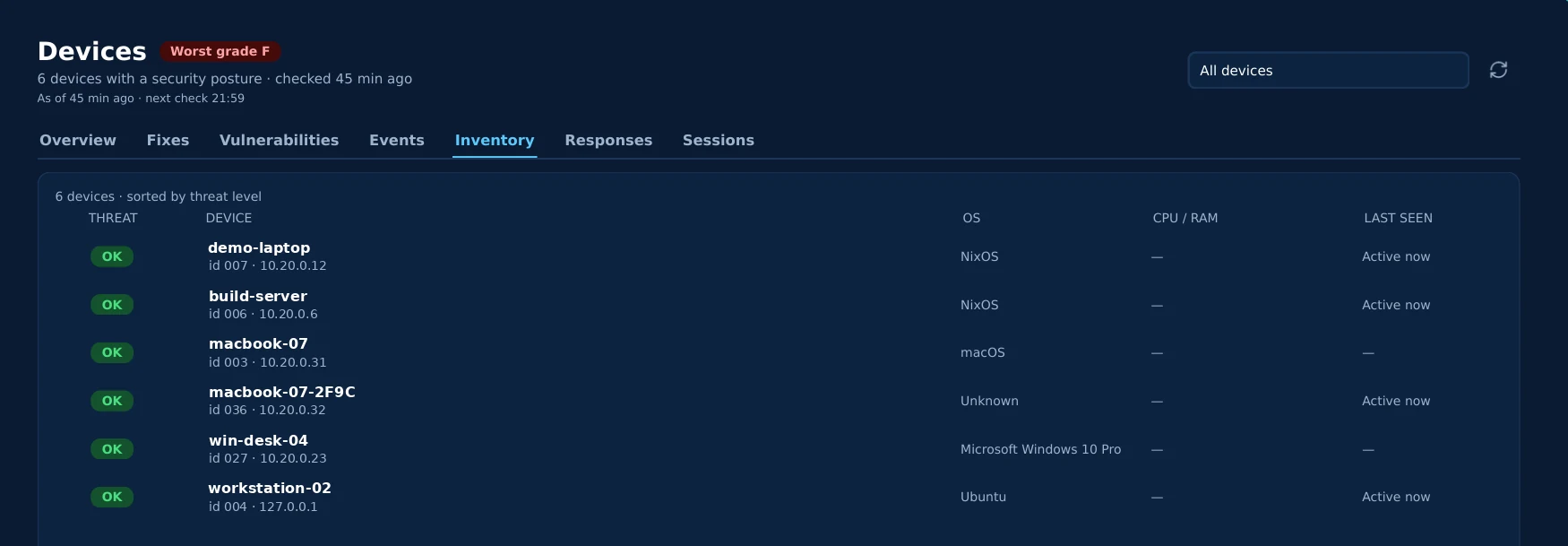
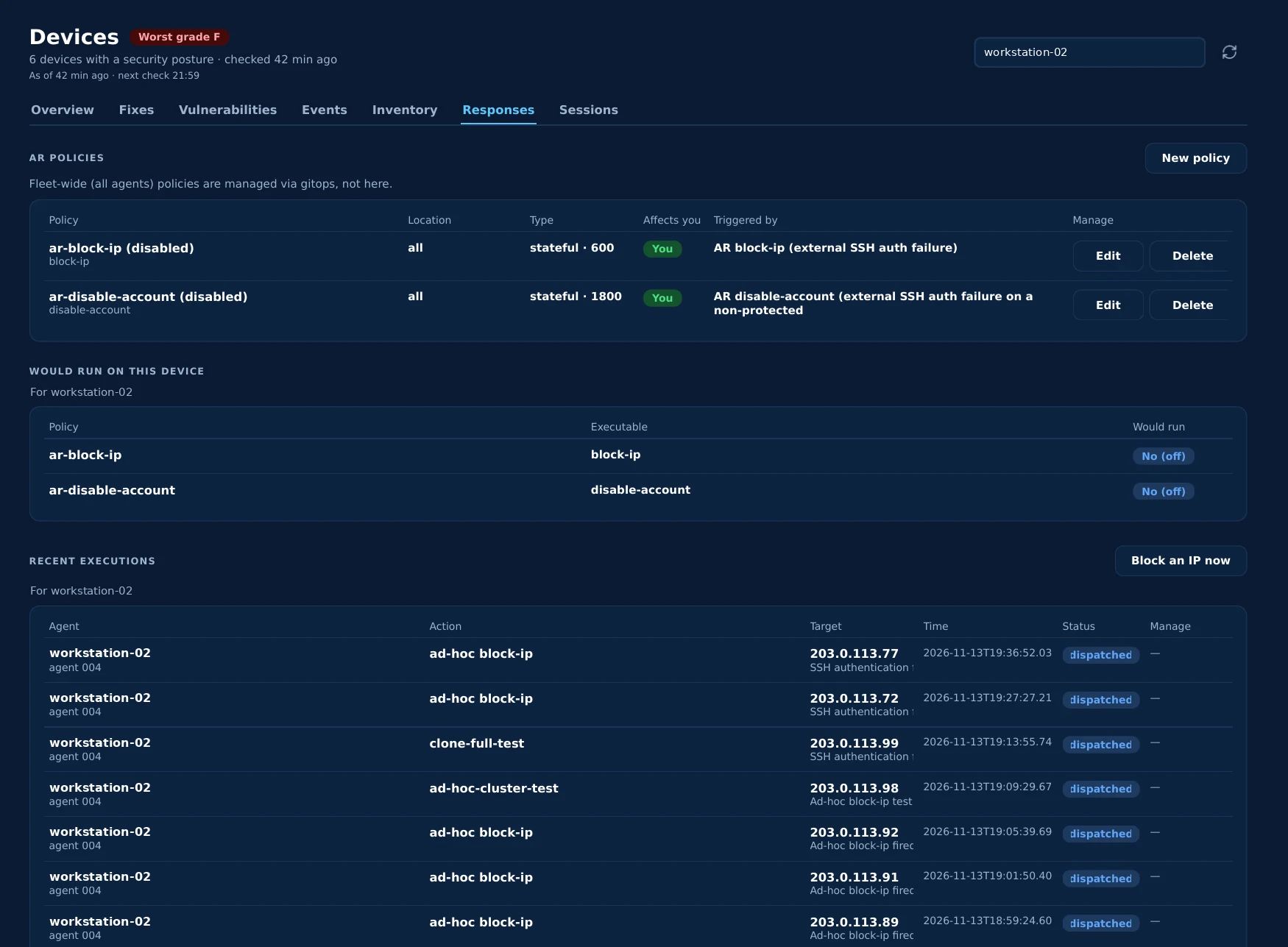
Real screens from Phoenix Desktop on Linux. Hostnames, addresses and keys are replaced with demo values.
It tells you what it doesn't know
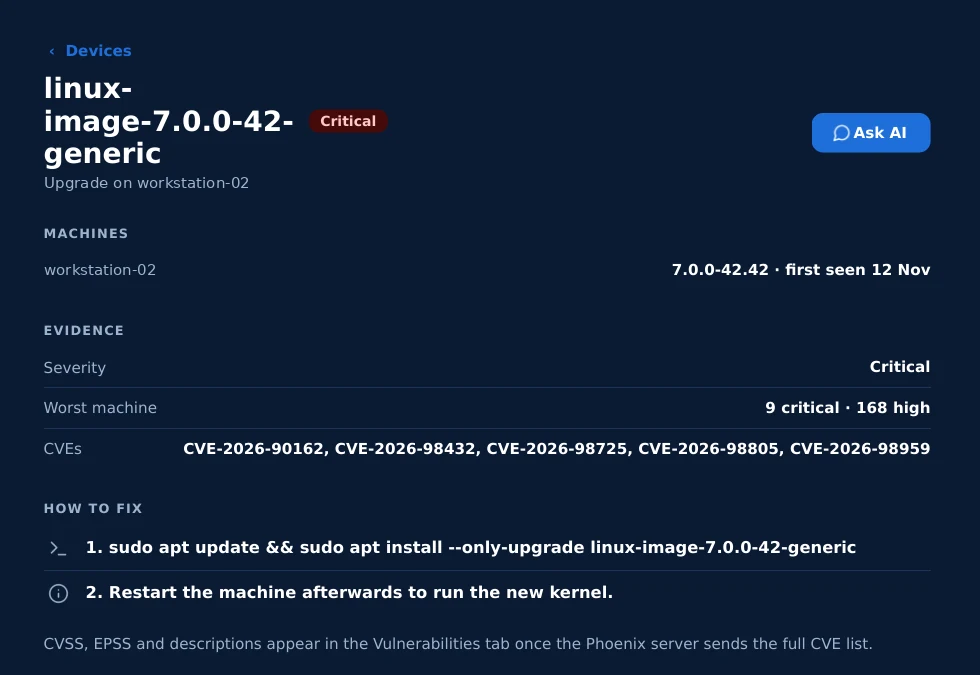
The Devices screens state their limits instead of filling gaps with guesses. The Phoenix API doesn't serve detection events yet, so Events says so and shows the SIEM alert feed; CVSS, EPSS and descriptions appear once the server sends the full CVE list. Every AI hunt report ends with a severity gate (no rule level in its evidence, no verdict above medium) and the run ID and tools behind it. Why it's provable →
Shows what it would do, then logs what it did
You set responses only for your own devices: block an IP or disable an account when a rule fires, with a timeout. Before a policy is saved, a preview shows how many of your agents it would run on and what is excluded, and runs a mandatory self-test; saving takes a press and hold. Block an IP now is hold-to-fire, with a Stop. The server enforces the same limits, and fleet-wide policies are managed in gitops, not from a desktop.
Every sign-in, and a real off switch
Sessions lists every device and app signed in to your account. Removing one ends its session and revokes its VPN access and its security agent on the server, not just in the app.
Fixes its own setup, nothing more
Fix N things on the dashboard repairs this machine's Phoenix setup: it starts or re-enrols the agent, updates antivirus signatures, reconnects the VPN and removes old installs. Package upgrades stay yours to run. Long jobs get a code like PX-4K7Q you can ask the chat about, and diagnostics copy with secrets removed.
Store
Browse and add plugins — the app is a plugin host, so capabilities extend without a reinstall.
One account, one sign-in, device ready
Sign in with your Phoenix account through the browser (standard OAuth). That one step sets up this device's VPN and enrolls its endpoint agent — and keeps them linked when you sign out and back in.
Your alerts, and only yours
Each user sees alerts for their own machines only, with the AI verdict attached, delivered privately over end-to-end encrypted messaging. High and critical alerts raise a desktop notification. An optional daily digest folds the quieter ones into one row; high and critical always stand alone.
It's the "E" in EDR
Phoenix Desktop carries a Phoenix-signed endpoint agent built on Wazuh 5.0, with Sysmon integration on Windows, native packages for Debian/Ubuntu, Fedora/RHEL/openSUSE and Arch, and a managed agent on macOS (Apple Silicon) with keys sealed in the system keychain. The events it collects are exactly what Nest triages and hunts across.
Python UI, native where it counts
A cross-platform Python/PyQt6 UI embeds native Swift components for privileged macOS work — the WireGuard tunnel runs through a signed, notarized Network Extension driven by a thin CLI, never from Python directly.
Secrets never sit in plaintext
A unified settings system keeps a master key in the OS keyring (Keychain / Secret Service / Credential Locker) and Fernet-encrypts every secret before it touches disk, under owner-only file permissions.
Signed builds, signed updates
Native installers on Windows and Linux, Developer-ID signing and notarization on macOS, date-based versioning. A signed update channel with rollback protection tells you when a new build is out (in-app install is next); on Linux, new builds arrive through the signed package repository.
Your SOC in your pocket. A built-in VPN onto the secure network and an AI chat interface that talks to the same platform your analysts use — so you can ask the analyst, triage, and stay connected from anywhere.
Built-in WireGuard VPN
The same encrypted tunnel as the desktop app, so the phone reaches the platform over a private, on-prem-terminated link — not the public internet.
Talk to the platform
The chat interface speaks to Phoenix Core's OpenAI-compatible API today, with Nest-powered investigation being wired in next — the same on-prem brain, from a handset.
What's live, what's next
On the desktop, chat with the AI analyst and personal alerts already run over self-hosted, end-to-end encrypted Matrix messaging — conversations stay on infrastructure you control, consistent with the rest of Phoenix. The phone is next.
The edge that feeds the brain — and brings each user their answers.
   Phoenix Desktop (Win · macOS · Linux)        Phoenix Mobile (iOS)
     Phoenix agent · AV · alerts · AI chat          VPN · AI chat
                    │                                    │
                    └──────────────┬─────────────────────┘
                                   ▼
                  encrypted end to end  (agent link · VPN · E2EE messaging)
                                   │
                 ┌─────────────────┼─────────────────┐
                 ▼                                   ▼
        telemetry ──► Phoenix Nest          chat ──► Phoenix Core
                     (XDR: triage, hunt,           (OpenAI-compatible
                      investigate)                   API + 14 agents)
                     │
                     └──► your alerts, back to you (private, E2EE)
Deploy to your fleet, or try it on one machine.
pkgutil --check-signature Phoenix-Installer-2026.11.06.pkg./etc/pacman.conf: [phoenix] and Include = /etc/pacman.d/phoenix.conf. Repository key: 3EC7 57BD 5970 7688 1AC1 5E16 4D3F CADE 1391 78F8.